 GEAR
Ranked · 6 picks
CS2 streaming desk: USB mics, XLR options and arms
These six additions compare compact USB microphones, dynamic USB/XLR options and a positioning arm. Start with intelligible team voice; add recording controls or XLR equipment only when they solve a task you already have.
Published 12 November 2026 · Updated 12 November 2026Affiliate links
Compare the shortlist
| # | Photo | Model | Best for | Check first | Where to buy |
|---|---|---|---|---|---|
| 1 | HyperX SoloCast 2 | Players with headphones or IEMs who want a compact USB microphone without a separate interface. | Condenser pickup still requires careful placement in a noisy room | View on Amazon.com | |
| 2 | HyperX QuadCast 2 | Players who stream or record and want accessible microphone controls on the desk. | Larger desk microphone than a compact Mini model | View on Amazon.com | |
| 3 | Audio-Technica ATR2100x-USB | Players who want a dynamic USB microphone now and optional XLR use later. | End-address microphone needs a consistent speaking position | View on Amazon.com | |
| 4 | FIFINE AmpliGame AM8 | Players who want a dynamic microphone with USB convenience and optional XLR output. | RGB and onboard function controls are inactive in XLR mode | View on Amazon.com | |
| 5 | Elgato Wave Mic Arm LP | Players whose desktop microphone blocks the monitor or occupies useful mouse space. | Desk clamp needs a compatible flat edge | View on Amazon.com | |
| 6 | RØDE PodMic USB | Players who regularly record spoken content and want a dynamic microphone with USB and XLR. | Requires a suitable stand or arm and space near the speaking position | View on Amazon.com |
Position first, accessories second
A good position and sensible gain are the first checks. Put the microphone near a consistent speaking position, record a short sample and listen for keyboard, fan and room noise. Buying a more expensive microphone does not remove the need to make that placement work.
USB can connect directly to the PC. XLR normally requires a compatible interface or mixer, and onboard USB controls may not work on the analogue path. Compare the full recording chain rather than assuming an XLR connector means a complete computer setup.
Choose an arm when the stand blocks the monitor or takes mouse space. Measure the desk clamp, available reach and the combined microphone-plus-accessory load. A low-profile arm is not a microphone and should not be ordered as though it records audio by itself.
A quick decision check
| Option | Consider it for | Check first |
|---|---|---|
| HyperX SoloCast 2 | Players with headphones or IEMs who want a compact USB microphone without a separate interface. | Condenser pickup still requires careful placement in a noisy room |
| HyperX QuadCast 2 | Players who stream or record and want accessible microphone controls on the desk. | Larger desk microphone than a compact Mini model |
| Audio-Technica ATR2100x-USB | Players who want a dynamic USB microphone now and optional XLR use later. | End-address microphone needs a consistent speaking position |
| FIFINE AmpliGame AM8 | Players who want a dynamic microphone with USB convenience and optional XLR output. | RGB and onboard function controls are inactive in XLR mode |
| Elgato Wave Mic Arm LP | Players whose desktop microphone blocks the monitor or occupies useful mouse space. | Desk clamp needs a compatible flat edge |
| RØDE PodMic USB | Players who regularly record spoken content and want a dynamic microphone with USB and XLR. | Requires a suitable stand or arm and space near the speaking position |
Continue comparing
Read each product’s linked source and limits before choosing. Browse the complete audio category or all selected gear. Shopping links open Amazon.com in English by default and use our affiliate tag. Some open an exact-model search when no US product reference has been confirmed; inspect the selected offer before ordering. No current price, retailer stock or measured performance advantage is claimed.
HyperX SoloCast 2
HyperX
SoloCast 2 is a practical starting point if you already like your headphones and only need team voice. The integrated accessories simplify the first setup; they do not remove the need to set a sensible microphone distance.
- Type
- USB condenser
- Connection
- USB-C
- Mounting
- Integrated stand threads
- Integrated shock mount and pop filter
- USB-C plug-and-play connection
Condenser pickup still requires careful placement in a noisy room
HyperX QuadCast 2
HyperX
QuadCast 2 is useful when you regularly record as well as talk in matches. Physical controls and visible microphone status can be more useful day to day than buying for a maximum recording-format number alone.
- Type
- USB microphone
- Mute
- Tap sensor
- Controls
- On-board with status LED
- Tap-to-mute sensor
- On-board controls with a mic status indicator
Larger desk microphone than a compact Mini model
Audio-Technica ATR2100x-USB
Audio-Technica
ATR2100x-USB is a sensible format when a separate voice microphone should also work with a future recording interface. Start with USB if your PC only needs a straightforward input; an XLR cable alone does not create a computer connection.
- Type
- Cardioid dynamic
- Outputs
- USB-C / XLR
- Monitoring
- 3.5 mm headphones
- USB-C and analogue XLR outputs
- Headphone output for direct monitoring
End-address microphone needs a consistent speaking position
FIFINE AmpliGame AM8
FIFINE
AM8 is worth comparing when you need a separate mic without committing to an audio interface immediately. Use USB for the initial setup and add XLR only when there is a specific mixer or interface you intend to use.
- Type
- Cardioid dynamic
- Outputs
- USB / XLR
- Monitoring
- USB mode
- USB and XLR connection routes
- USB mode supplies monitoring and gain controls
RGB and onboard function controls are inactive in XLR mode
Elgato Wave Mic Arm LP
Elgato
A mic arm is useful when it fixes positioning, not simply because a streaming desk usually has one. Measure the path from the desk edge to your speaking position and check clearance beneath the monitor.
- Reach
- 740 mm horizontal
- Clamp
- Up to 60 mm
- Max load
- 2 kg including accessories
- Low-profile arm with cable routing
- Adapters supplied for common microphone threads
Desk clamp needs a compatible flat edge
RØDE PodMic USB
RØDE
PodMic USB belongs on the shortlist if voice recording is a recurring task rather than an occasional team call. Its USB path can avoid buying an interface, while XLR supports a separate recording chain later.
- Type
- Cardioid dynamic
- Outputs
- USB-C / XLR
- Address
- End-address
- USB and XLR outputs
- USB path includes DSP and direct headphone monitoring
Requires a suitable stand or arm and space near the speaking position
Season 1 · CS2 skin giveaway
Classified · Sniper Rifle
AWPIce Coaled
Field-Tested
One skin, given away every month to subscribers of the YouTube and TikTok channels. Free to enter, no purchase, no gear required.
Claim your ticket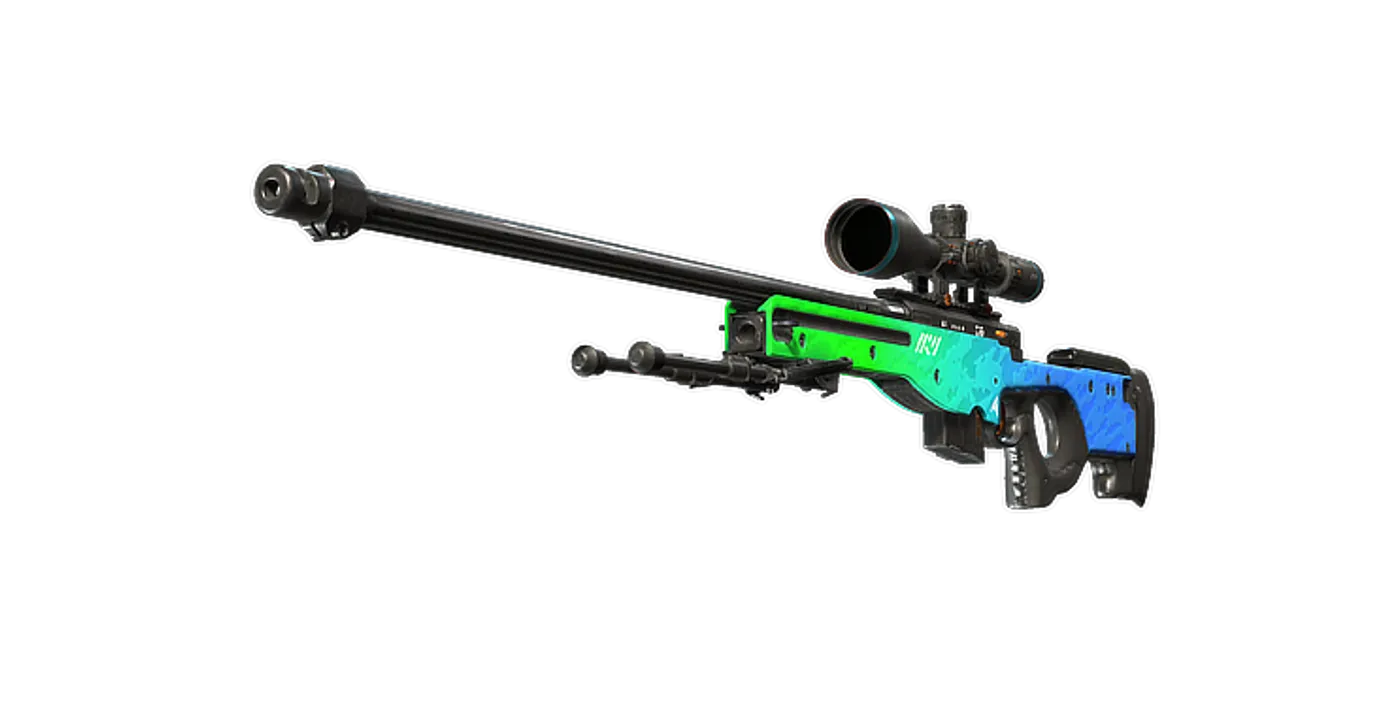
FAQ
Frequently asked
Does a USB/XLR microphone need an interface immediately?
Usually not for its supported USB connection. An interface or mixer is needed for the XLR recording path; check the microphone’s actual modes and included cables.