 GEAR
Ranked · 5 picks
CS2 headsets: compare wired and wireless connections
Compare five additional headsets by the connection and voice setup you actually need. A complete wired headset, a light boomless model and a wireless receiver-based set each solve a different desk problem.
Published 12 November 2026 · Updated 12 November 2026Affiliate links
Compare the shortlist
| # | Photo | Model | Best for | Check first | Where to buy |
|---|---|---|---|---|---|
| 1 | HyperX Cloud Stinger 2 | Players who need a straightforward wired headset with an obvious microphone mute action. | Closed leatherette earcups can feel warm in a long session | View on Amazon.com | |
| 2 | Logitech G435 | Players with smaller heads who want a light wireless headset without a boom microphone. | Built-in beamforming microphones replace a close boom mic | View on Amazon.com | |
| 3 | SteelSeries Arctis Nova 1 | Players who prefer a conventional analogue headset that connects to a compatible sound card. | Separate PC headphone and mic sockets may require a splitter | View on Amazon.com | |
| 4 | SteelSeries Arctis Nova 5 Wireless | Players wanting a wireless headset and optional app-based sound presets. | PC, PlayStation and Xbox variants need to be matched carefully | View on Amazon.com | |
| 5 | Corsair HS65 SURROUND | Players who want a wired headset with analogue use and an included USB sound option. | Virtual surround is a processing choice rather than multiple physical speakers | View on Amazon.com |
Check the connection before the sound preset
Look at the ports on your computer. One four-pole headset socket differs from separate headphone and microphone inputs. A USB adapter can supply another connection route, while a wireless headset needs its compatible receiver and a charging plan.
A boom microphone near your mouth and built-in beamforming microphones have different placement constraints. Test voice pickup at your desk rather than assuming a feature name removes keyboard or fan noise. If you already have a microphone, an IEM may avoid buying the same function twice.
Keep game audio processing understandable. Compare the normal stereo path with any surround or preset feature before enabling several layers together. A manufacturer preset is a convenience, not evidence that this site measured better directional accuracy.
A quick decision check
| Option | Consider it for | Check first |
|---|---|---|
| HyperX Cloud Stinger 2 | Players who need a straightforward wired headset with an obvious microphone mute action. | Closed leatherette earcups can feel warm in a long session |
| Logitech G435 | Players with smaller heads who want a light wireless headset without a boom microphone. | Built-in beamforming microphones replace a close boom mic |
| SteelSeries Arctis Nova 1 | Players who prefer a conventional analogue headset that connects to a compatible sound card. | Separate PC headphone and mic sockets may require a splitter |
| SteelSeries Arctis Nova 5 Wireless | Players wanting a wireless headset and optional app-based sound presets. | PC, PlayStation and Xbox variants need to be matched carefully |
| Corsair HS65 SURROUND | Players who want a wired headset with analogue use and an included USB sound option. | Virtual surround is a processing choice rather than multiple physical speakers |
Continue comparing
Read each product’s linked source and limits before choosing. Browse the complete headset category or all selected gear. Shopping links open Amazon.com in English by default and use our affiliate tag. Some open an exact-model search when no US product reference has been confirmed; inspect the selected offer before ordering. No current price, retailer stock or measured performance advantage is claimed.
HyperX Cloud Stinger 2
HyperX
The wired Stinger 2 is a simple option when team voice and headphones need to arrive together. Its flip-up microphone makes mute status easy to understand without opening a software control panel.
- Connection
- 3.5 mm wired
- Driver
- 50 mm dynamic
- Listed weight
- 275 g
- Swivel-to-mute microphone
- On-ear volume control
Closed leatherette earcups can feel warm in a long session
Logitech G435
Logitech
G435 is a different proposition from a heavy closed headset with a large boom mic. Its compact fit and low weight are useful considerations for a smaller head, while larger users should compare adjustment range carefully.
- Connection
- LIGHTSPEED / Bluetooth
- Weight
- 165 g
- Mic
- Built-in beamforming
- LIGHTSPEED and Bluetooth connectivity
- Manufacturer-stated 165 g weight
Built-in beamforming microphones replace a close boom mic
SteelSeries Arctis Nova 1
SteelSeries
Nova 1 is a useful comparison if your PC already has a clean analogue headset output. It keeps listening and team voice in a single wired setup without requiring a wireless receiver or separate desk microphone.
- Connection
- 4-pole 3.5 mm
- Use
- Headphones and team voice
- Power
- No headset charging
- Standard four-pole 3.5 mm connection
- Wired operation avoids a charging routine
Separate PC headphone and mic sockets may require a splitter
SteelSeries Arctis Nova 5 Wireless
SteelSeries
Nova 5 is worth comparing when you want to move away from a headset cable and are willing to manage charging. App presets are convenience features; use your own listening check rather than assuming a labelled game profile is the best setting.
- Type
- Wireless gaming headset
- Variant
- Select PC version
- Software
- Arctis Companion app
- Wireless PC model offered by the manufacturer
- Companion app provides selectable game presets
PC, PlayStation and Xbox variants need to be matched carefully
Corsair HS65 SURROUND
Corsair
HS65 SURROUND is a useful middle ground when the PC analogue output is inconvenient but you also want a standard headset connection for other devices. The included USB adapter gives a separate connection route.
- Connection
- 3.5 mm / USB adapter
- Modes
- Stereo / virtual surround
- Controls
- Headset volume control
- 3.5 mm stereo connection
- USB adapter enables supported PC surround processing
Virtual surround is a processing choice rather than multiple physical speakers
Season 1 · CS2 skin giveaway
Classified · Sniper Rifle
AWPIce Coaled
Field-Tested
One skin, given away every month to subscribers of the YouTube and TikTok channels. Free to enter, no purchase, no gear required.
Claim your ticket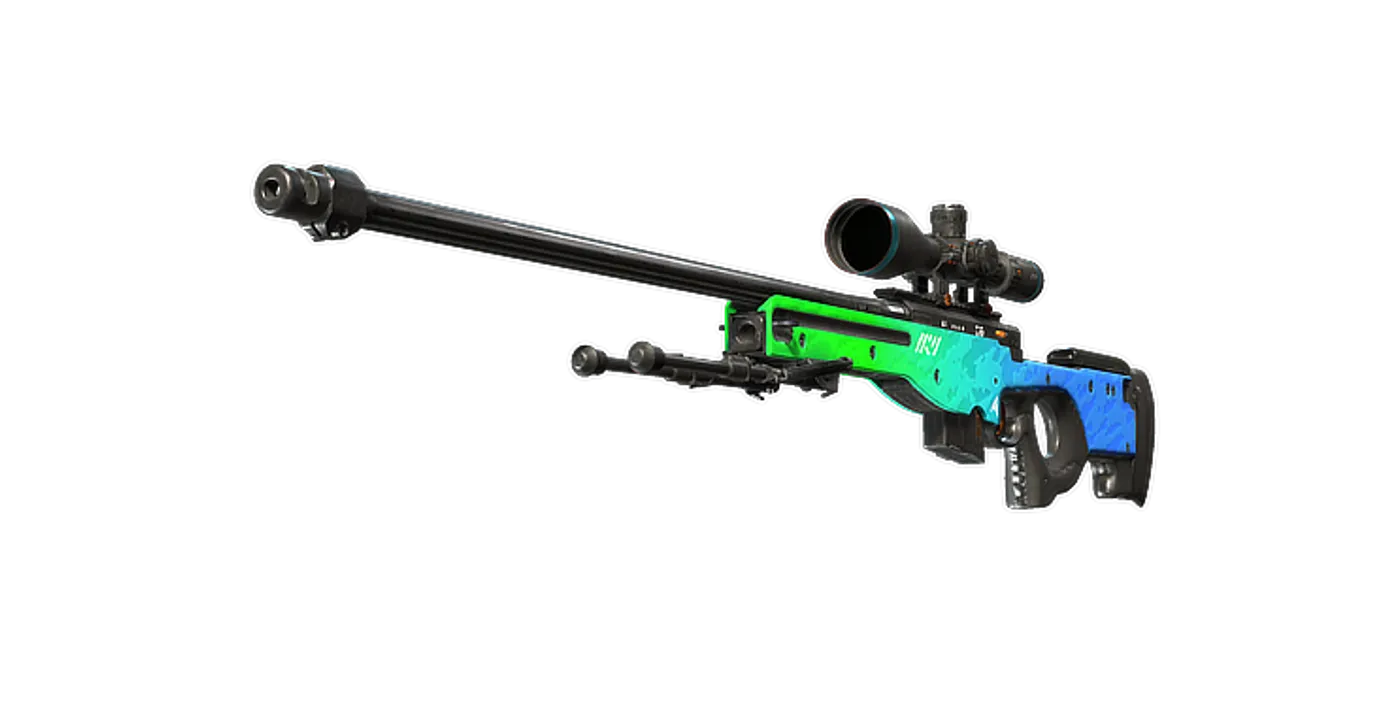
FAQ
Frequently asked
Should I choose Bluetooth for competitive PC audio?
Check the headset’s supported gaming connection. Models with a dedicated PC receiver provide a different route from ordinary Bluetooth; confirm compatibility and available modes on the exact offer.