 GEAR
Ranked · 7 picks
Best CS2 headset in 2026: 7 picks for footsteps and team voice
A CS2 headset has two jobs that have nothing to do with each other: placing a footstep, and carrying your voice to four other people. Most buying advice only covers the first. These seven are compared on both, plus the thing that decides whether you keep wearing one after three hours, and on the single question that splits the list in half: whether you want a cable.
Published 12 November 2026 · Updated 12 November 2026Affiliate links
Compare the shortlist
| # | Photo | Model | Best for | Check first | Where to buy |
|---|---|---|---|---|---|
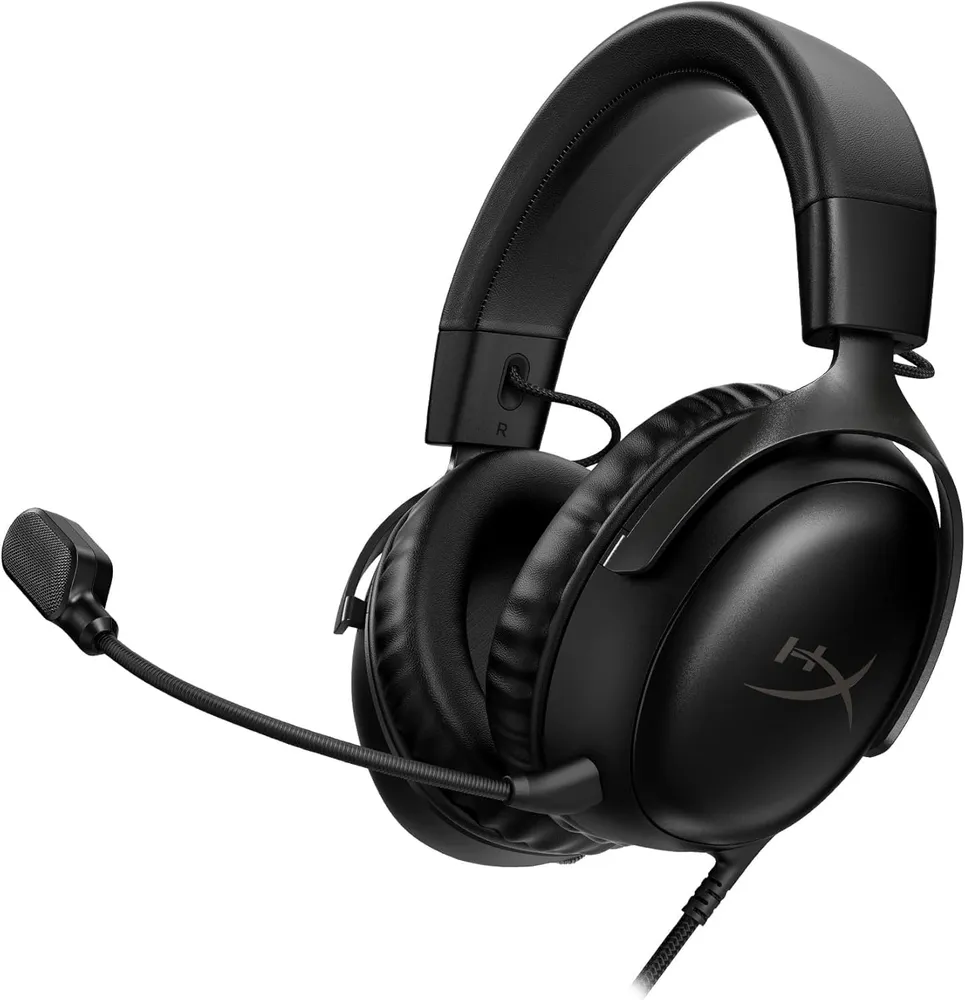
| 1 | HyperX Cloud III | A player who wants dependable footstep placement and a usable team mic, and refuses to add a charging routine to match day. | Closed leatherette traps heat — after three hours your ears are warm and you know it | View on Amazon.com | |
| 2 | HyperX Cloud Alpha Wired | Players who want a wired headset with detachable microphone and cable. | Cable routing still matters on a crowded desk | View on Amazon.com | |
| 3 | Logitech G Pro X SE Wired | PC players who want a removable headset microphone and USB sound-card option. | Blue VO!CE and some processing features require compatible PC software | View on Amazon.com | |
| 4 | SteelSeries Arctis Nova 1 | Players who prefer a conventional analogue headset that connects to a compatible sound card. | Separate PC headphone and mic sockets may require a splitter | View on Amazon.com | |
| 5 | Razer BlackShark V2 X | Players who need a simple headphone-and-microphone setup for team voice chat. | The microphone and cable are not detachable | View on Amazon.com | |
| 6 | Razer BlackShark V2 HyperSpeed | PC players who want headphones and team voice without a headset cable across the desk. | Needs charging and space for the receiver | View on Amazon.com | |
| 7 | SteelSeries Arctis Nova 5 Wireless | Players wanting a wireless headset and optional app-based sound presets. | PC, PlayStation and Xbox variants need to be matched carefully | View on Amazon.com |




Start with the cable question
It splits this list cleanly in two, and it is the only decision here with a real trade-off.
Wired, which is five of the seven: no battery, less weight, lower price for the same build. The HyperX Cloud III is the default answer — dependable footstep placement and a usable team microphone, with no charging routine to remember on match day. The Cloud Alpha is the older sibling and still the one to compare if you want both the microphone and the cable detachable, which makes it the easiest on this page to repair rather than replace.
Wireless, which is two: the BlackShark V2 HyperSpeed and the Arctis Nova 5. Both exist to get a cable off your desk, and both weigh more than their wired equivalents because a battery weighs something. If a cable snagging on your mousepad genuinely annoys you, that is a good enough reason. “Lower latency” is not — the difference stopped mattering several receiver generations ago.
If you already own headphones you like
Buy a microphone instead. CS2 outputs plain stereo and does its own positioning, so a closed-back headphone you already enjoy will place footsteps as well as anything on this page. A headset is two devices glued together for convenience; if you only need the second one, the microphone guide is the page you want.
The same logic runs the other way if you dislike having anything clamped to your head: the headset versus IEM comparison starts from comfort rather than assuming everyone wants the same shape, and the IEM ranking covers that route properly.
The detachable-microphone group
Three here let you remove the boom: the Cloud Alpha, the G Pro X SE and, through its USB sound card, the G Pro X’s software side. This matters more than it sounds. A headset you can wear outside the game is a headset you wear more, and a boom arm that detaches is a boom arm that does not snap off in a bag.
The Arctis Nova 1 takes the opposite approach — a retractable microphone and a plain 4-pole 3.5 mm plug, which means it works on a console or a phone with no adapter and nothing to lose.
The cheapest thing that works
The BlackShark V2 X is the floor of this list: headphones, a microphone, one cable, nothing else. If your current setup is laptop speakers and a webcam microphone, this is a larger upgrade than anything above it on this page, and the gap between it and the most expensive headset here is smaller than the gap between it and no headset at all.
What none of these fix
A headset will not fix in-game audio settings that are working against you. If footsteps feel vague, the CS2 audio settings guide is worth twenty minutes before any purchase — the defaults are not optimal and the fix is free.
And no headset on this page, or any page, lets you hear through a wall that CS2 does not model. Audio hardware raises the ceiling of what the game already tells you; it does not add information.
HyperX Cloud III
HyperX
Angled 53 mm drivers, a detachable mic that genuinely holds up on comms, and no battery to fail mid-match. The Cloud line earned its reputation on comfort, and the third generation did not spend it.
- Drivers
- 53 mm, angled
- Connection
- 3.5 mm / USB-C
- Mic
- 10 mm, detachable
- Padding
- Memory foam
- Drivers are angled toward the ear rather than firing flat, which sharpens left-right placement of footsteps
- Analogue 3.5 mm as well as USB-C: it works on the tournament PC, the console and the phone with no driver
Closed leatherette traps heat — after three hours your ears are warm and you know it
HyperX Cloud Alpha Wired
HyperX
A wired headset option when detachable cable and microphone matter more than wireless convenience. Check the analogue connectors and package contents before choosing it for a desktop or laptop.
- Connection
- 3.5 mm analogue
- Microphone
- Detachable boom
- Cable
- Detachable
- Detachable microphone and braided cable
- Analogue connection needs no headset charging
Cable routing still matters on a crowded desk
Logitech G Pro X SE Wired
Logitech
A wired all-in-one audio choice with a removable microphone and a supplied USB sound card. It suits players comparing PC voice controls with a simpler analogue headset, provided the software features are useful to them.
- Connection
- 3.5 mm / USB sound card
- Drivers
- 50 mm PRO-G
- Microphone
- Detachable
- Detachable microphone
- Listing includes USB sound card and analogue connection options
Blue VO!CE and some processing features require compatible PC software
SteelSeries Arctis Nova 1
SteelSeries
Nova 1 is a useful comparison if your PC already has a clean analogue headset output. It keeps listening and team voice in a single wired setup without requiring a wireless receiver or separate desk microphone.
- Connection
- 4-pole 3.5 mm
- Use
- Headphones and team voice
- Power
- No headset charging
- Standard four-pole 3.5 mm connection
- Wired operation avoids a charging routine
Separate PC headphone and mic sockets may require a splitter
Razer BlackShark V2 X
Razer
An all-in-one wired choice if you need headphones and a microphone together. Its analogue connection keeps setup simple, but the fixed microphone and cable limit repair and upgrade options.
- Connection
- 3.5 mm analogue
- Drivers
- 50 mm
- Weight
- 240 g (manufacturer)
- Microphone
- Fixed cardioid boom
- Built-in boom microphone avoids a separate desktop mic purchase
- Analogue 3.5 mm connection needs no headset battery
The microphone and cable are not detachable
Razer BlackShark V2 HyperSpeed
Razer
A wireless headset option for PC players who want to remove the audio cable from the desk. Use its gaming receiver connection for play and check microphone placement and charging requirements before choosing it over a wired headset.
- Connection
- 2.4 GHz / Bluetooth
- Weight
- 280 g (manufacturer)
- Drivers
- 50 mm TriForce
- 2.4 GHz wireless connection for gaming
- Manufacturer-stated 280 g design with USB-C charging
Needs charging and space for the receiver
SteelSeries Arctis Nova 5 Wireless
SteelSeries
Nova 5 is worth comparing when you want to move away from a headset cable and are willing to manage charging. App presets are convenience features; use your own listening check rather than assuming a labelled game profile is the best setting.
- Type
- Wireless gaming headset
- Variant
- Select PC version
- Software
- Arctis Companion app
- Wireless PC model offered by the manufacturer
- Companion app provides selectable game presets
PC, PlayStation and Xbox variants need to be matched carefully
Season 1 · CS2 skin giveaway
Classified · Sniper Rifle
AWPIce Coaled
Field-Tested
One skin, given away every month to subscribers of the YouTube and TikTok channels. Free to enter, no purchase, no gear required.
Claim your ticket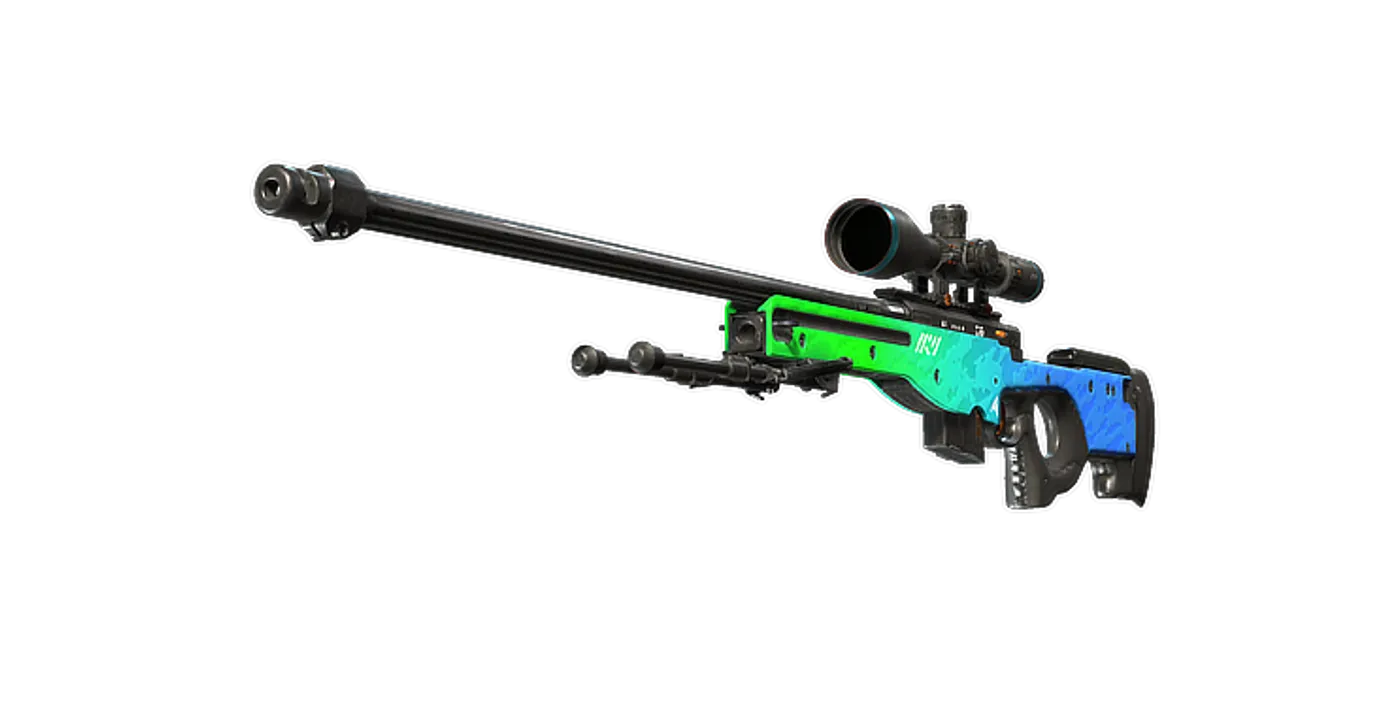
FAQ
Frequently asked
Do you need a gaming headset to hear footsteps in CS2?
No. Any closed-back stereo headphone places footsteps correctly, because CS2 outputs plain stereo and does the positioning itself. What a gaming headset adds is a microphone attached to the same object, which is convenience rather than audio. If you already own headphones you like, a separate microphone is usually the better purchase.
Is wired or wireless better for CS2?
Wired, marginally, and for a reason that is not latency. Current 2.4 GHz receivers are not a measurable handicap in CS2. What a wired headset gives you is no battery to forget and typically 40 to 80 g less on your head, because there is no cell. What it costs you is a cable to the desk. Nobody has ever lost a round to either.
Should I turn on surround or spatial audio in CS2?
No. CS2 generates its own positional cues for stereo output, and a virtual-surround layer on top of that processes an already-processed signal. The in-game audio settings matter far more than any headset feature — our audio settings guide covers which ones actually change what you hear.
Is the microphone on a gaming headset good enough for team voice?
For team voice, yes, on every headset here. Teammates need to understand a callout in under a second, not enjoy your tone. A headset microphone becomes the limiting factor only when you start streaming or recording, which is the point at which a separate microphone makes sense.
What matters more, drivers or clamp force?
Clamp, by a distance nobody writing specification sheets wants to admit. A 50 mm driver and a 40 mm driver sound more alike than two different ear-pad materials do, and neither will matter at hour three if the headband is squeezing your temples. Buy for fit, then check the microphone, then stop reading.