 GEAR
Ranked · 5 picks
CS2 monitors: compare 1080p and 1440p refresh options
Compare five displays ranging from compact Full HD 180 Hz to QHD 240 Hz and Full HD 360 Hz. Resolution, input limitations, current stock and the frame rates your PC sustains matter as much as the maximum refresh headline.
Published 12 November 2026 · Updated 12 November 2026Affiliate links
Compare the shortlist
| # | Photo | Model | Best for | Check first | Where to buy |
|---|---|---|---|---|---|
| 1 | ASUS TUF VG259QM | Players deliberately choosing a compact 1080p high-refresh monitor for competitive games. | 280 Hz requires the overclock setting and the appropriate input | View on Amazon.com | |
| 2 | MSI G274QPX | Players seeking QHD desktop space and a 240 Hz option on the same monitor. | HDMI is limited to QHD 144 Hz in the manufacturer specification | View on Amazon.com | |
| 3 | LG UltraGear 27GR83Q-B | Players wanting a 27-inch QHD IPS display for both desktop work and fast games. | High-refresh QHD is more demanding than 1080p | View on Amazon.com | |
| 4 | AOC 24G4 | Players moving from a basic 60 Hz screen who want a compact Full HD IPS monitor. | A 180 Hz model is different from the 240 Hz and 360 Hz options | View on Amazon.com | |
| 5 | Alienware AW2523HF | Players with a high-frame-rate PC who intentionally prioritise 1080p 360 Hz play. | Older model: check seller, condition and remaining stock carefully | View on Amazon.com |
Match the display to the PC and daily work
A fast monitor cannot generate frames the PC does not render. Check sustained CS2 performance at the settings you plan to use. A lower refresh tier can be a more useful purchase when the remaining budget needs to cover the rest of the setup.
A compact 1080p screen prioritises frame rate and a familiar viewing area. A 27-inch QHD panel supplies more desktop detail for text and mixed use. Neither resolution is automatically right for every desk, viewing distance or graphics card.
Read the input table. The MSI lists different maximum QHD refresh rates for HDMI and DisplayPort; ASUS requires its supported overclock path for 280 Hz. Manufacturer response-time figures describe a stated mode and do not replace a full motion-quality test.
Older models can remain on retailer search pages after direct manufacturer stock ends. Match condition, seller and return terms carefully, especially for the AW2523HF. Compare the complete available offer with newer alternatives before treating old inventory as a discount.
A quick decision check
| Option | Consider it for | Check first |
|---|---|---|
| ASUS TUF VG259QM | Players deliberately choosing a compact 1080p high-refresh monitor for competitive games. | 280 Hz requires the overclock setting and the appropriate input |
| MSI G274QPX | Players seeking QHD desktop space and a 240 Hz option on the same monitor. | HDMI is limited to QHD 144 Hz in the manufacturer specification |
| LG UltraGear 27GR83Q-B | Players wanting a 27-inch QHD IPS display for both desktop work and fast games. | High-refresh QHD is more demanding than 1080p |
| AOC 24G4 | Players moving from a basic 60 Hz screen who want a compact Full HD IPS monitor. | A 180 Hz model is different from the 240 Hz and 360 Hz options |
| Alienware AW2523HF | Players with a high-frame-rate PC who intentionally prioritise 1080p 360 Hz play. | Older model: check seller, condition and remaining stock carefully |
Continue comparing
Read each product’s linked source and limits before choosing. Browse the complete monitor category or all selected gear. Shopping links open Amazon.com in English by default and use our affiliate tag. Some open an exact-model search when no US product reference has been confirmed; inspect the selected offer before ordering. No current price, retailer stock or measured performance advantage is claimed.
ASUS TUF VG259QM
ASUS
VG259QM is a focused 1080p choice when frame rate matters more than desktop resolution. Check the frame rate your system actually sustains before spending on a faster refresh tier.
- Panel
- 24.5-inch IPS
- Resolution
- 1920 × 1080
- Refresh
- Up to 280 Hz OC (DP)
- 24.5-inch Full HD IPS format
- Up to 280 Hz overclock via DisplayPort
280 Hz requires the overclock setting and the appropriate input
MSI G274QPX
MSI
G274QPX balances a sharper desktop with high-refresh gaming. It is worth comparing if the PC can sustain useful frame rates at QHD and you also use the screen for work.
- Panel
- 27-inch Rapid IPS
- Resolution
- 2560 × 1440
- Refresh
- 240 Hz via DisplayPort
- 27-inch 2560 × 1440 Rapid IPS panel
- USB-C display input with up to 65 W power delivery
HDMI is limited to QHD 144 Hz in the manufacturer specification
LG UltraGear 27GR83Q-B
LG
27GR83Q-B is a useful QHD comparison if you want more desktop detail than a compact Full HD monitor. Start with the frame rates your PC achieves at your preferred CS2 settings rather than choosing by refresh rate alone.
- Size
- 27 inches
- Panel
- QHD IPS
- Refresh
- 240 Hz
- 2560 × 1440 IPS panel
- 240 Hz refresh option
High-refresh QHD is more demanding than 1080p
AOC 24G4
AOC
24G4 is an entry-level comparison for a desk where Full HD is sufficient. It can be more appropriate than a costly esports display if the computer or budget would not make use of a much higher refresh rate.
- Size
- 23.8 inches
- Resolution
- 1920 × 1080
- Refresh
- 180 Hz
- 23.8-inch IPS format
- 180 Hz at Full HD in the published specification
A 180 Hz model is different from the 240 Hz and 360 Hz options
Alienware AW2523HF
Alienware
AW2523HF is a specialised comparison for someone who already knows they want Full HD at a very high refresh rate. Check sustained frame times and the supported input before paying for the 360 Hz headline.
- Size
- 24.5 inches
- Resolution
- 1920 × 1080
- Refresh
- 360 Hz
- 24.5-inch Full HD Fast IPS display
- 360 Hz option for a dedicated competitive setup
Older model: check seller, condition and remaining stock carefully
Season 1 · CS2 skin giveaway
Classified · Sniper Rifle
AWPIce Coaled
Field-Tested
One skin, given away every month to subscribers of the YouTube and TikTok channels. Free to enter, no purchase, no gear required.
Claim your ticket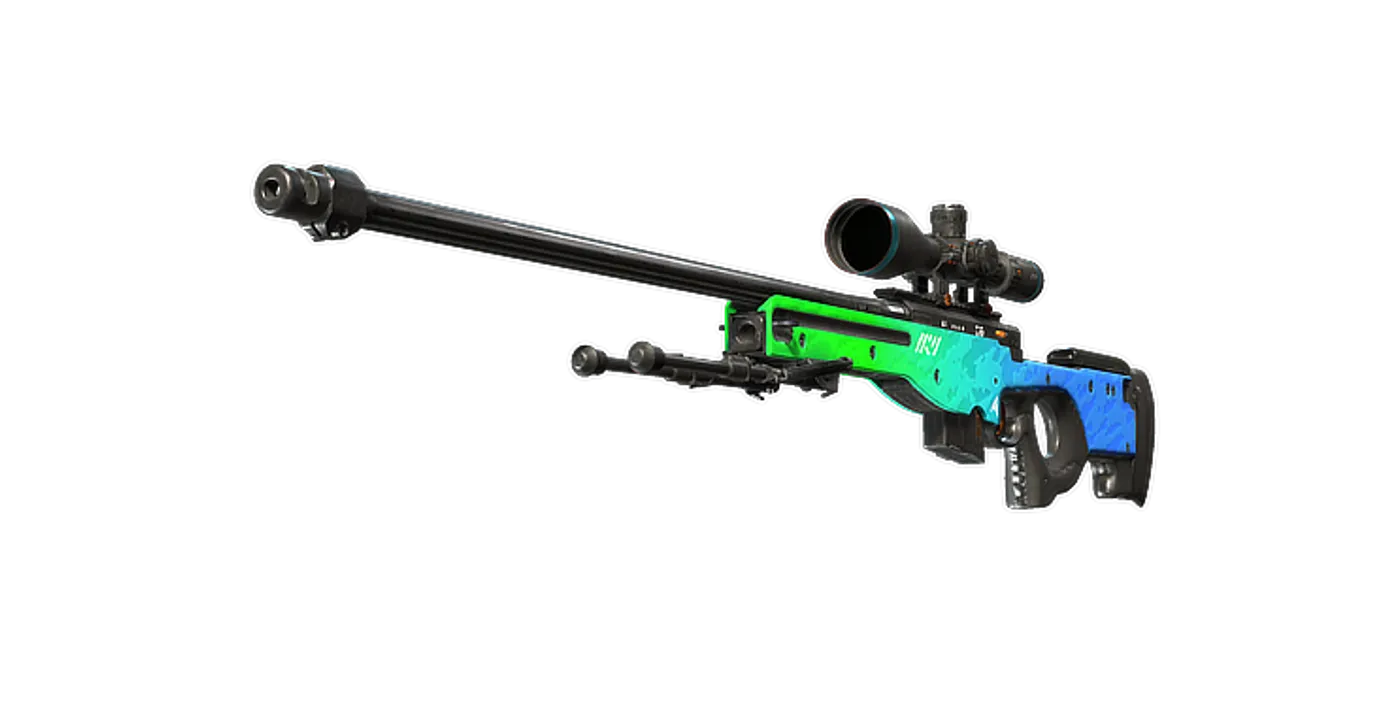
FAQ
Frequently asked
Will any HDMI cable provide the listed maximum refresh rate?
No. The monitor input, graphics output, resolution and cable capabilities all matter. Use the model manual’s input limits rather than assuming the headline refresh applies to every connection.