 GEAR
Ranked · 8 picks
CS2 mouse shapes, wireless options and desk surfaces
Choose the shape and movement space before choosing a sensor headline. These eight additions cover compact wireless mice, larger control-heavy shells, straightforward wired options and a desk-size cloth surface.
Published 12 November 2026 · Updated 12 November 2026Affiliate links
Compare the shortlist
| # | Photo | Model | Best for | Check first | Where to buy |
|---|---|---|---|---|---|
| 1 | Razer Basilisk V3 | Right-handed players who want a thumb rest and extra controls for gaming and everyday work. | The sculpted shell is a different fit from a small symmetrical esports mouse | View on Amazon.com | |
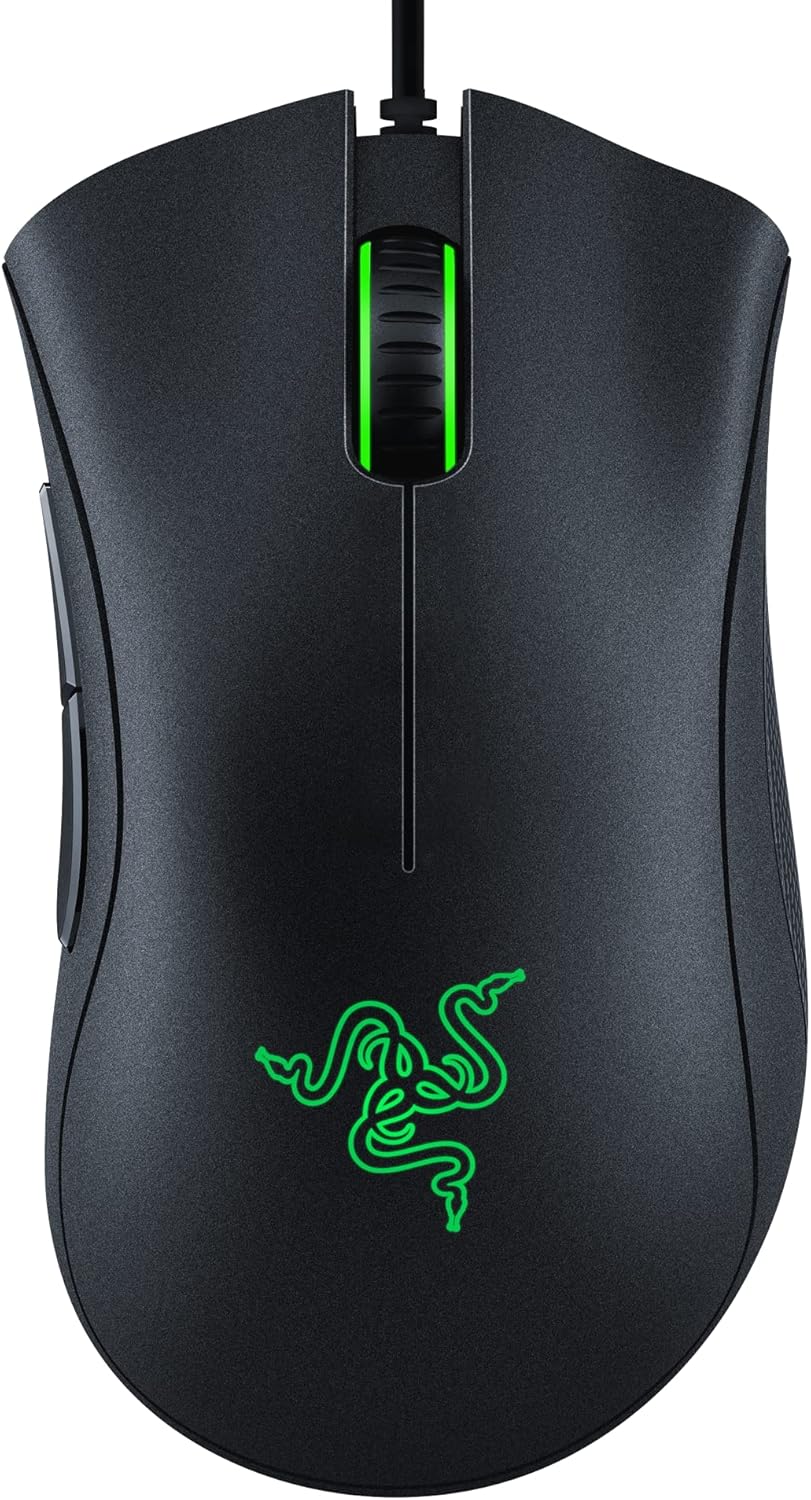
| 2 | Razer DeathAdder Essential | Players replacing a basic office mouse who prefer a conventional right-handed wired shape. | Older mechanical-switch design rather than the newer DeathAdder V3 platform | View on Amazon.com | |
| 3 | Razer Orochi V2 | Players with a portable setup who want a compact wireless mouse and replaceable batteries. | The stated sub-60 g shell weight excludes the battery | View on Amazon.com | |
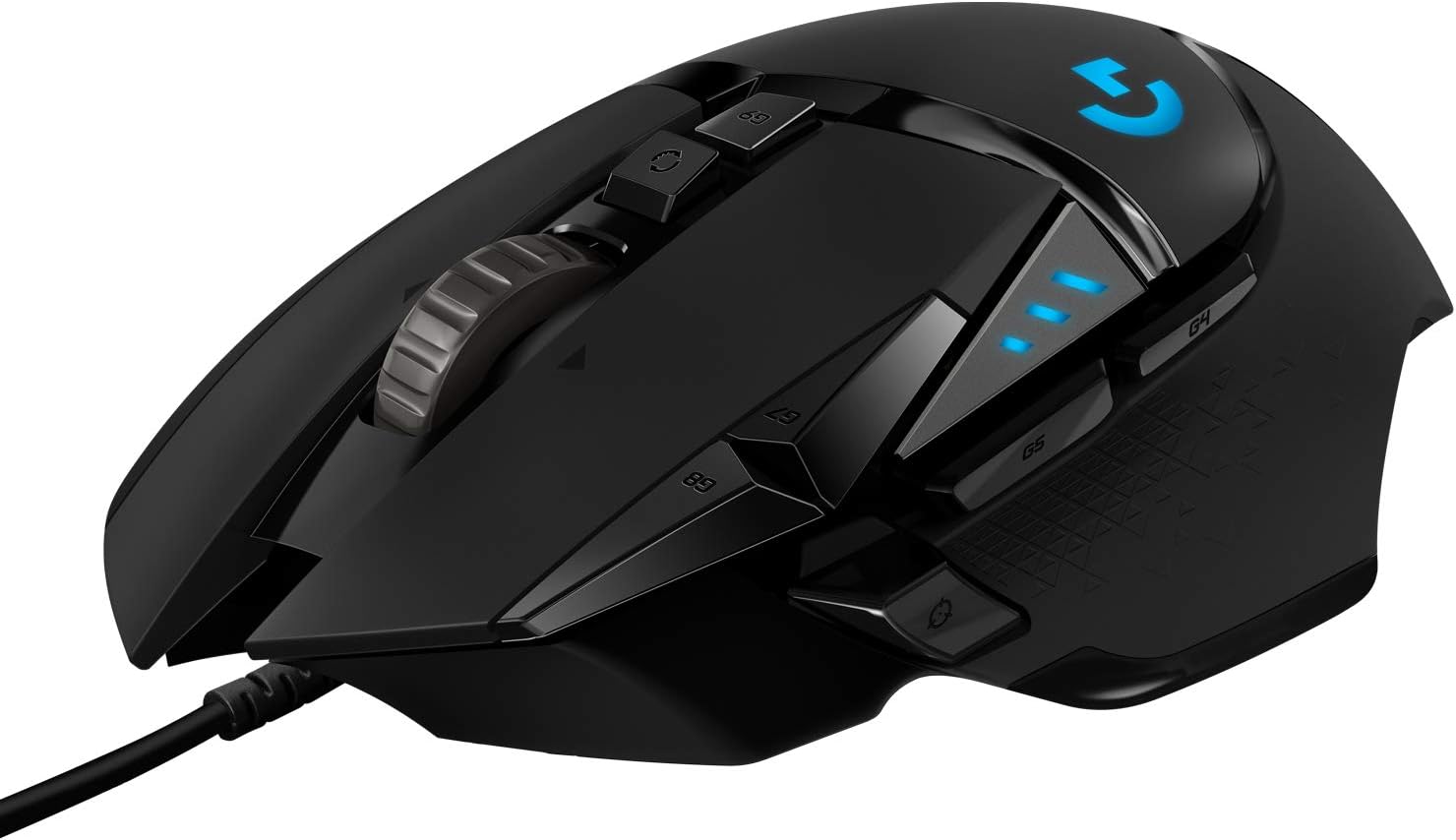
| 4 | Logitech G502 HERO | Players who value a substantial shell, extra thumb controls and a dual-mode scroll wheel. | A weighted control-heavy design is different from an ultralight FPS mouse | View on Amazon.com | |
| 5 | Razer Viper V3 HyperSpeed | Players wanting a wireless Viper-family shell with a replaceable AA battery. | The AA-powered design is heavier than Viper V3 Pro | View on Amazon.com | |
| 6 | Logitech G502 LIGHTSPEED | Existing G502 users who want wireless operation while keeping a familiar control-heavy layout. | The original G502 LIGHTSPEED is distinct from G502 X LIGHTSPEED | View on Amazon.com | |
| 7 | Razer Basilisk V3 X HyperSpeed | Right-handed players who want the Basilisk style with wireless connectivity. | Not the wired Basilisk V3 with the same scrolling feature set | View on Amazon.com | |
| 8 | SteelSeries QcK XXL | Players who want one cloth surface beneath both keyboard and mouse. | XXL needs enough clear desk width | View on Amazon.com |




Start with the grip and the desk
A mouse with a thumb rest solves a different need from a short portable shell. Compare where your fingers land on the side controls and whether the back of the shell supports your normal grip. Keep sensitivity stable while changing hardware so that you can tell what actually feels different.
Wireless removes the moving cable but introduces battery management and receiver placement. A replaceable AA or AAA can suit a travel setup; a wired mouse can be simpler at a permanent desk. Compare the ready-to-use weight, including the battery, rather than a shell-only claim.
Check the mouse surface before replacing the mouse. A worn, inconsistent or undersized pad can be the real problem. An XXL pad needs space under both keyboard and mouse; a smaller pad may already cover the full sweep.
A quick decision check
| Option | Consider it for | Check first |
|---|---|---|
| Razer Basilisk V3 | Right-handed players who want a thumb rest and extra controls for gaming and everyday work. | The sculpted shell is a different fit from a small symmetrical esports mouse |
| Razer DeathAdder Essential | Players replacing a basic office mouse who prefer a conventional right-handed wired shape. | Older mechanical-switch design rather than the newer DeathAdder V3 platform |
| Razer Orochi V2 | Players with a portable setup who want a compact wireless mouse and replaceable batteries. | The stated sub-60 g shell weight excludes the battery |
| Logitech G502 HERO | Players who value a substantial shell, extra thumb controls and a dual-mode scroll wheel. | A weighted control-heavy design is different from an ultralight FPS mouse |
| Razer Viper V3 HyperSpeed | Players wanting a wireless Viper-family shell with a replaceable AA battery. | The AA-powered design is heavier than Viper V3 Pro |
| Logitech G502 LIGHTSPEED | Existing G502 users who want wireless operation while keeping a familiar control-heavy layout. | The original G502 LIGHTSPEED is distinct from G502 X LIGHTSPEED |
| Razer Basilisk V3 X HyperSpeed | Right-handed players who want the Basilisk style with wireless connectivity. | Not the wired Basilisk V3 with the same scrolling feature set |
| SteelSeries QcK XXL | Players who want one cloth surface beneath both keyboard and mouse. | XXL needs enough clear desk width |
Continue comparing
Read each product’s linked source and limits before choosing. Browse the complete mouse category or all selected gear. Shopping links open Amazon.com in English by default and use our affiliate tag. Some open an exact-model search when no US product reference has been confirmed; inspect the selected offer before ordering. No current price, retailer stock or measured performance advantage is claimed.
Razer Basilisk V3
Razer
Choose the original Basilisk V3 when the thumb rest and scrolling controls solve a daily need. The larger control set is useful for push-to-talk and ordinary shortcuts, but does not make the shell a universal choice for low-sensitivity aiming.
- Connection
- Wired USB
- Sensor
- 26K DPI optical
- Controls
- 11 programmable buttons
- Thumb-rest shell with 11 programmable buttons
- Scroll wheel supports tactile and free-spin modes
The sculpted shell is a different fit from a small symmetrical esports mouse
Razer DeathAdder Essential
Razer
The Essential is a basic entry point for someone who needs a familiar ergonomic shell. Consider it when the actual offer is meaningfully cheaper than newer alternatives; a large maximum DPI number is not the reason to choose it.
- Connection
- Wired USB
- Sensor
- 6,400 DPI optical
- Controls
- 5 programmable buttons
- Five remappable buttons
- Wired operation avoids battery management
Older mechanical-switch design rather than the newer DeathAdder V3 platform
Razer Orochi V2
Razer
Orochi V2 makes sense when portability and a short shell are deliberate priorities. The battery choice changes the real operating weight; compare a complete mouse with battery against other ready-to-use mice.
- Connection
- 2.4 GHz / Bluetooth
- Power
- One AA or AAA battery
- Sensor
- 18K DPI optical
- 2.4 GHz HyperSpeed and Bluetooth connections
- Accepts one AA or AAA battery
The stated sub-60 g shell weight excludes the battery
Logitech G502 HERO
Logitech
G502 HERO is a useful mixed gaming-and-work choice if its button layout suits you. Start without the optional weights and add them only if you prefer the resulting balance; more weight is a preference rather than a performance upgrade.
- Connection
- Wired USB
- Sensor
- HERO 25K
- Weights
- Up to five 3.6 g weights
- Eleven programmable buttons
- Removable weights let you adjust balance
A weighted control-heavy design is different from an ultralight FPS mouse
Razer Viper V3 HyperSpeed
Razer
Compare Viper V3 HyperSpeed when you want the family shape without buying the rechargeable Pro. The observed US listing specifies 82 g and an AA battery, so this is not the lightest option in the directory.
- Connection
- HyperSpeed wireless
- Power
- One AA battery
- Listed weight
- 82 g
- HyperSpeed wireless connection
- Replaceable AA power without a charging cable
The AA-powered design is heavier than Viper V3 Pro
Logitech G502 LIGHTSPEED
Logitech
A familiar shell can be a stronger reason to buy than a headline sensor number. Consider the original G502 LIGHTSPEED if you already like its thumb controls and want to remove a mouse cable from the desk.
- Connection
- LIGHTSPEED wireless
- Controls
- 11 programmable buttons
- Charging
- POWERPLAY compatible
- Wireless connection removes the desk cable during use
- Eleven programmable controls and adjustable weights
The original G502 LIGHTSPEED is distinct from G502 X LIGHTSPEED
Razer Basilisk V3 X HyperSpeed
Razer
Choose this variant because you want the wireless Basilisk layout. The observed American listing identifies nine controls and an 18K optical sensor; do not copy specifications from the visually similar wired V3.
- Connection
- Wireless
- Sensor
- 18K optical
- Controls
- 9 programmable controls
- Nine programmable controls
- Wireless design with a sculpted thumb-rest shell
Not the wired Basilisk V3 with the same scrolling feature set
SteelSeries QcK XXL
SteelSeries
A desk-size pad is a practical option when the keyboard and mouse both need a stable surface. Measure around the monitor base, speaker stands and desk edge before ordering; the XXL label alone does not establish a fit.
- Surface
- Cloth
- Format
- XXL desk coverage
- Base
- Non-slip
- Full-desk cloth format
- Non-slip base keeps the surface in place
XXL needs enough clear desk width
Season 1 · CS2 skin giveaway
Classified · Sniper Rifle
AWPIce Coaled
Field-Tested
One skin, given away every month to subscribers of the YouTube and TikTok channels. Free to enter, no purchase, no gear required.
Claim your ticket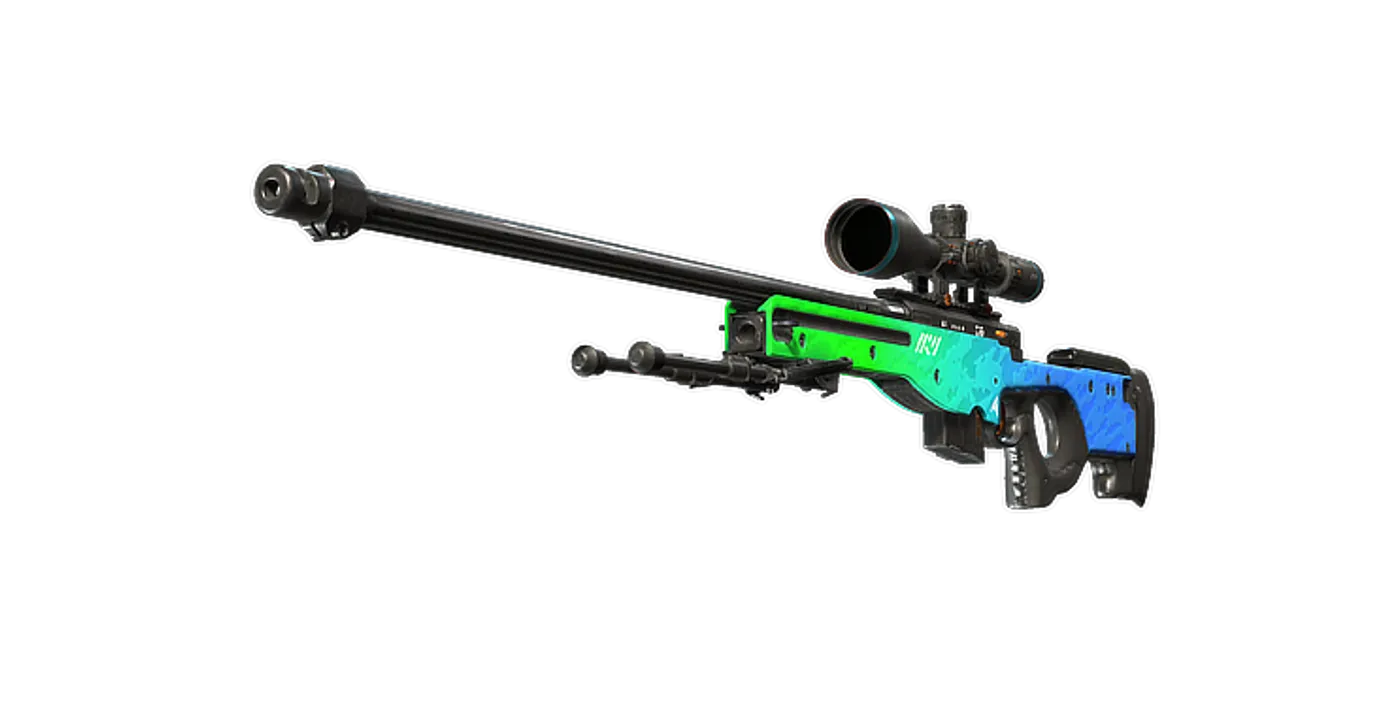
FAQ
Frequently asked
Is the lightest mouse always the right choice?
No. Grip fit, side-button reach, battery arrangements and usable mouse space can matter more than a small weight difference. Compare the complete ready-to-use mouse.