 GEAR
Ranked · 8 picks
Choosing a CS2 mouse: wired, wireless and the shape that fits
A good mouse choice starts with a comfortable shape, enough desk space and a connection you can live with. Compare these eight options by the problem they solve, then check the trade-offs before spending.
Published 11 November 2026 · Updated 12 November 2026Affiliate links
Compare the shortlist
| # | Photo | Model | Best for | Check first | Where to buy |
|---|---|---|---|---|---|
| 1 | DeathAdder V3 Wired | Right-handed players who prefer a larger ergonomic mouse and a wired connection. | The fixed cable can catch on the desk unless you leave enough slack | View on Amazon.com | |
| 2 | DeathAdder V3 HyperSpeed | Right-handed claw or relaxed palm players who want a compact wireless mouse. | Right-handed shape; try the dimensions before choosing it for a large palm grip | View on Amazon.com | |
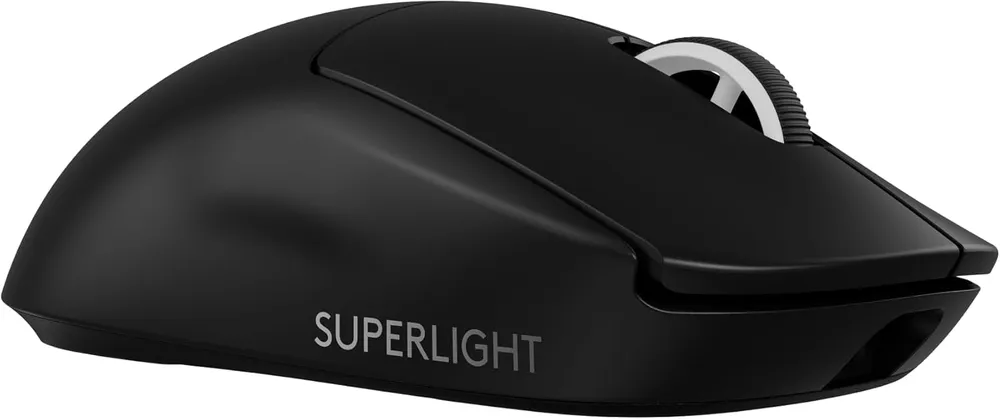
| 3 | G Pro X Superlight 2 | A player who has decided weight and wireless latency are the two variables that matter, and wants the version of that with no compromises left to argue about. | No side buttons on the right flank, so left-handed players and anyone who binds four thumb keys is out | View on Amazon.com | |
| 4 | Razer Viper V3 HyperSpeed | Players wanting a wireless Viper-family shell with a replaceable AA battery. | The AA-powered design is heavier than Viper V3 Pro | View on Amazon.com | |
| 5 | Razer Basilisk V3 | Right-handed players who want a thumb rest and extra controls for gaming and everyday work. | The sculpted shell is a different fit from a small symmetrical esports mouse | View on Amazon.com | |
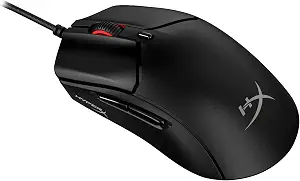
| 6 | HyperX Pulsefire Haste 2 Wired | Players who want a lightweight wired mouse and prefer a conventional symmetrical shell. | The attached cable still needs enough room across the mousepad | View on Amazon.com | |
| 7 | Razer Cobra Wired | Players who prefer a compact shell and do not mind routing a mouse cable. | Fixed cable requires enough slack across the full mousepad | View on Amazon.com | |
| 8 | Razer Viper V3 Pro | Players seeking a lightweight wireless mouse after checking shell dimensions and grip fit. | Premium spending makes little sense if the shell does not fit your grip | View on Amazon.com |






Pick the problem you want to solve
I want no charging: start with the DeathAdder V3 wired. It is the practical route if a cable already moves freely on your desk. Check that you can reach both edges of the pad without pulling the cable taut.
My cable catches during wide swipes: compare the DeathAdder V3 HyperSpeed. Its smaller ergonomic shell is a separate consideration from wireless connectivity; do not assume it will feel like the wired model.
I prefer a more neutral shell: compare the Logitech Superlight 2. The point of paying more should be fit and features you will use, not a promise of better aim.
Check your grip before ordering
Write down your current mouse dimensions and identify what is uncomfortable: a high hump, narrow front, side-button reach or fingers touching the pad. Compare the new model against those observations. Hand length alone is not enough to predict comfort.
These selections are based on published specifications and practical setup differences. We do not have a shared laboratory latency measurement for all three models and do not present the order as a measured performance ranking.
Keep settings consistent
Use the same DPI and in-game sensitivity when first comparing a mouse. Our CS2 sensitivity and DPI guide helps you keep the physical distance per turn consistent. Try several ordinary sessions before making another adjustment.
Check frame times if you raise polling rate. A maximum specification is not automatically the best setting for every PC. There is no need to replace working hardware just to match a headline number.
Finish the surface before buying accessories
If the mouse stops at the edge of the pad, resolve pad size first. The QcK Heavy L is a cloth surface to compare, rather than an automatic add-on to every order. Measure the usable space around your keyboard.
Browse the mouse and surface directory for the full selection. For voice and sound, the next separate decision is headset versus IEM.
Sources
Razer wired V3 specifications, Razer HyperSpeed support and Logitech Superlight 2 specifications. Exact product listings and verification dates are linked from each product page.
DeathAdder V3 Wired
Razer
A straightforward option for a right-handed CS2 setup: a 59 g shell, optical switches and no battery to charge. The attached cable and larger ergonomic shape are the main reasons to choose something else.
- Weight
- 59 g, excluding cable
- Connection
- Wired USB
- Sensor
- Focus Pro 30K
- Polling
- Up to 8,000 Hz
- Wired USB connection avoids charging and wireless receiver management
- 59 g manufacturer-stated weight excludes the cable
The fixed cable can catch on the desk unless you leave enough slack
DeathAdder V3 HyperSpeed
Razer
A 55 g wireless option for right-handed players who prefer an ergonomic shell. Choose it for grip fit and freedom from a cable, rather than assuming a higher polling rate will improve your aim.
- Weight
- 55 g (manufacturer)
- Connection
- 2.4 GHz / USB-C charging
- Sensor
- Focus X 26K
- Grip
- Right-handed ergonomic
- 55 g manufacturer-stated weight keeps the mouse light without an open shell
- Rechargeable wireless connection removes cable drag across the pad
Right-handed shape; try the dimensions before choosing it for a large palm grip
G Pro X Superlight 2
Logitech G
Sixty grams, a wireless link nobody has beaten on latency, and 8 kHz polling. This is the mouse the professional field converged on, and the reasons are boring in the best way.
- Weight
- 60 g
- Sensor
- HERO 2, 44 000 DPI
- Polling
- up to 8 kHz
- Charging
- USB-C
- Sixty grams with no honeycomb shell — the weight comes out of the internals, not out of holes you can feel
- LIGHTSPEED wireless measures faster end-to-end than most wired mice, which retires the cable argument entirely
No side buttons on the right flank, so left-handed players and anyone who binds four thumb keys is out
Razer Viper V3 HyperSpeed
Razer
Compare Viper V3 HyperSpeed when you want the family shape without buying the rechargeable Pro. The observed US listing specifies 82 g and an AA battery, so this is not the lightest option in the directory.
- Connection
- HyperSpeed wireless
- Power
- One AA battery
- Listed weight
- 82 g
- HyperSpeed wireless connection
- Replaceable AA power without a charging cable
The AA-powered design is heavier than Viper V3 Pro
Razer Basilisk V3
Razer
Choose the original Basilisk V3 when the thumb rest and scrolling controls solve a daily need. The larger control set is useful for push-to-talk and ordinary shortcuts, but does not make the shell a universal choice for low-sensitivity aiming.
- Connection
- Wired USB
- Sensor
- 26K DPI optical
- Controls
- 11 programmable buttons
- Thumb-rest shell with 11 programmable buttons
- Scroll wheel supports tactile and free-spin modes
The sculpted shell is a different fit from a small symmetrical esports mouse
HyperX Pulsefire Haste 2 Wired
HyperX
A 53 g wired option for players who want a light shell without charging or receiver management. Check the shape against your current mouse before paying for maximum polling capability.
- Connection
- Wired USB
- Weight
- 53 g (manufacturer)
- Polling
- Up to 8,000 Hz
- Manufacturer-stated 53 g design
- Flexible HyperFlex 2 cable and included grip tape
The attached cable still needs enough room across the mousepad
Razer Cobra Wired
Razer
A compact wired option when you want a lighter shell without paying for a rechargeable wireless mouse. Razer specifies 58 g excluding the cable; the Amazon title and description disagree, so the manufacturer figure is used here.
- Connection
- Wired USB
- Weight
- 58 g, excluding cable
- Sensor
- 8,500 DPI optical
- Compact wired design avoids charging and receiver management
- Optical switches and a flexible attached cable
Fixed cable requires enough slack across the full mousepad
Razer Viper V3 Pro
Razer
A premium 54 g wireless option for players who already know they prefer this shell shape. Its high polling capability is a feature to evaluate on your own PC, rather than a guarantee of better aim.
- Weight
- 54 g, black model
- Connection
- HyperSpeed wireless
- Polling
- Up to 8,000 Hz
- Manufacturer-stated 54 g black model
- Rechargeable wireless connection removes cable drag
Premium spending makes little sense if the shell does not fit your grip
Season 1 · CS2 skin giveaway
Classified · Sniper Rifle
AWPIce Coaled
Field-Tested
One skin, given away every month to subscribers of the YouTube and TikTok channels. Free to enter, no purchase, no gear required.
Claim your ticket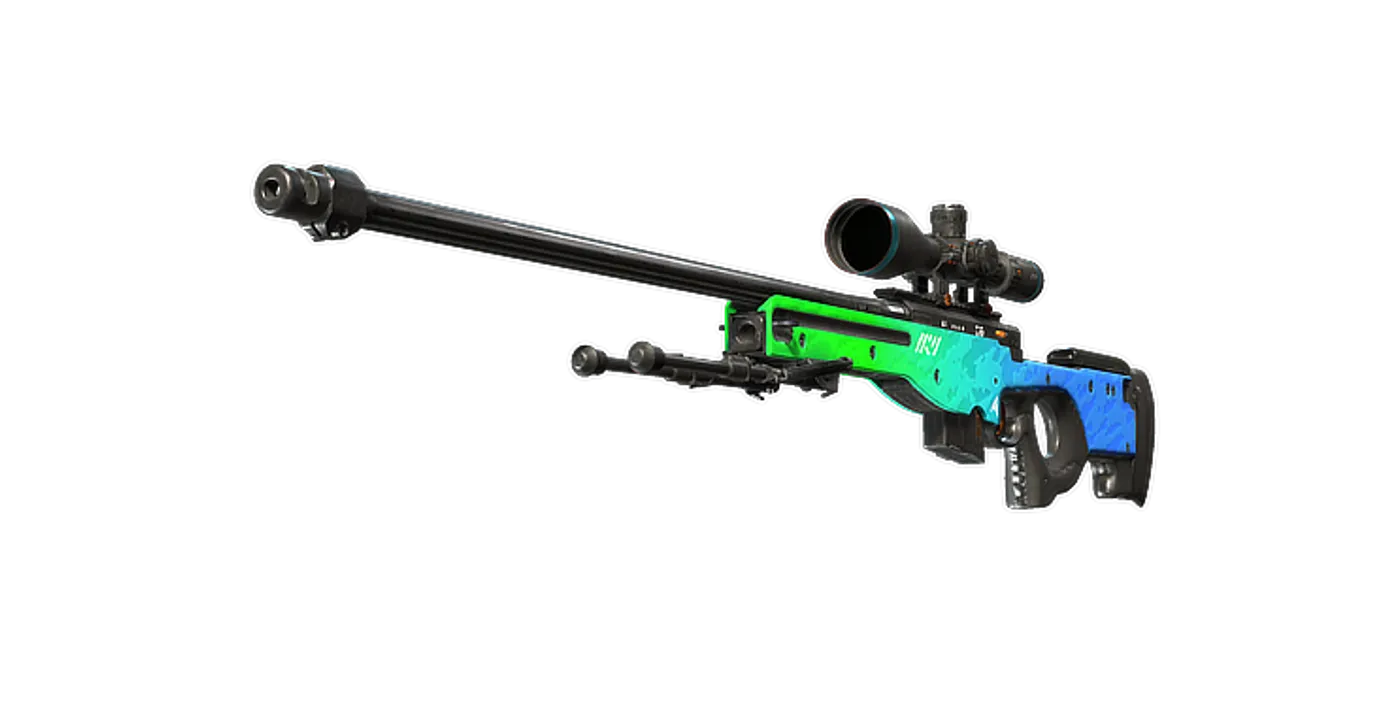
FAQ
Frequently asked
Should I buy a wired or wireless mouse for CS2?
Choose wired if cable routing is comfortable and you want no charging. Wireless removes cable drag but adds charging and a receiver. Neither choice compensates for an uncomfortable shape.
Do I need 8,000 Hz polling?
No. Compare frame-time stability on your own computer before choosing a high polling rate. It is an option, and the HyperSpeed model requires a compatible separate dongle for 8 kHz wireless.
Are DeathAdder V3 and V3 HyperSpeed the same shape?
No. They are separate models with different dimensions. Compare the dimensions with a mouse you already find comfortable before choosing.