GEARFPS.COM

1 ranked

The Best Gaming Keyboard for CS2

A keyboard cannot make you aim better, so the honest question is what it costs you. The two answers that matter are how much desk it takes from your mousepad, and whether the layout printed on the keys is the one you expect.

Affiliate links

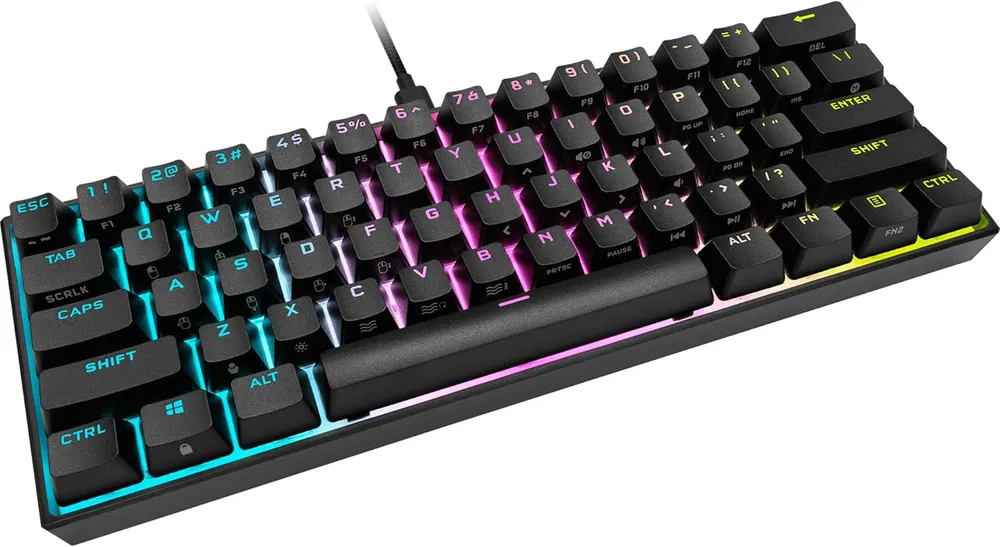
  1. Corsair K65 RGB Mini

    Corsair

    A 60 % board with 8 000 Hz polling and Cherry switches, which is a lot of keyboard for the money. This particular listing ships the German QWERTZ layout — read that twice before ordering.

    Layout
    60 % — QWERTZ (DE)
    Polling
    8 000 Hz AXON
    Switches
    Cherry MX
    Cable
    Detachable USB-C
    • AXON polls at 8 000 Hz, eight times the usual rate — the only sub-£100 board that does
    • Detachable USB-C, so the board survives travel without a captive cable to destroy

    This listing is the German QWERTZ layout: Z and Y are swapped and the symbols move — wrong board if you type on AZERTY or QWERTY

    Check Price on Amazon →Full review

Before you buy

What actually decides this

  1. Layout size

    The only property here with a competitive effect. A 60 or 65 percent board drops the numpad and function row and hands roughly 12 cm of desk back to your mousepad — which is what low sensitivity actually needs.

  2. Regional layout

    Check QWERTY against QWERTZ or AZERTY before ordering. Marketplace listings routinely ship the German or French layout of a board under the same name and picture, and the keycaps cannot be swapped into the right order.

  3. Switch feel

    Linear, tactile or clicky is a preference, not a performance ladder. Nobody has shown a switch type that wins rounds. Pick what you enjoy hearing and feeling for several hours a day.

  4. Actuation and rapid trigger

    Hall-effect boards let you set how far a key travels before it registers, and reset it the instant it moves back up. For counter-strafing that is a genuine mechanical advantage, and it is the one recent feature worth paying for.

  5. Polling rate

    1000 Hz is the sane default here for the same reason as on a mouse. 8 kHz shaves a fraction of a millisecond off and raises CPU interrupt load enough to cost frames on a mid-range machine.

The one competitive property is size

Almost nothing about a keyboard changes how you play. Size does, and only because of what sits next to it.

Counter-Strike is played at low sensitivity. A full turn is a forearm movement, not a wrist flick, and it needs somewhere to happen. A full-size keyboard eats that space with a numpad you never press and a function row the game never asks for.

A 60 or 65 percent board hands roughly 12 cm of desk back to your mousepad. That is the entire competitive argument for keyboard choice, and it is worth more than every switch comparison ever written.

The cost is real: you lose dedicated arrow keys, function keys and often the delete cluster, all reachable through a modifier layer instead. If you write code or edit spreadsheets on the same desk, that is an ongoing annoyance rather than a one-off adjustment. Be honest with yourself about what else the keyboard has to do.

Check the layout before you order

This is the mistake that generates the most returns, and it is easy to make.

The same keyboard model is sold in QWERTY, QWERTZ and AZERTY versions, often under one listing, frequently with a photograph of the US layout regardless of what ships. On a German QWERTZ board the Y and Z are swapped and several punctuation keys move. On a French AZERTY board the entire left hand changes.

You cannot fix this by rearranging keycaps: the shapes differ row to row, and the operating system still reads the original positions unless you also change its layout. Read the listing text, not the picture, and check the title for a regional marker before you order.

Switches are preference, not performance

There is a long-running argument about linear against tactile switches, and there is no evidence behind it.

Linear switches travel smoothly from top to bottom with no bump. They are the most popular choice in competitive play, mostly because they are quiet and consistent.

Tactile switches have a small bump at the actuation point that you can feel. Some people press more accurately with the feedback; some find it slows them.

Clicky switches add a noise to the bump. They are enjoyable and they are unbearable on voice comms.

Actuation force and travel distance vary within each type, and the differences are measured in fractions of a millimetre and a few grams. Buy the one you like the feel of. Nobody has ever lost a round to a switch.

Rapid trigger is the exception

One recent development does have a mechanical case behind it, and it is worth understanding before you dismiss it as another marketing term.

A mechanical switch registers a press at a fixed depth and releases at another. A Hall-effect switch measures position continuously with a magnet, so the keyboard can decide for itself when a press begins and ends. Rapid trigger uses that to reset the key the instant it starts moving back up, instead of waiting for it to cross a threshold.

For counter-strafing — pressing the opposite direction to stop instantly before firing — this shortens the gap between your finger lifting and the game registering a stop. That is the exact moment accuracy is decided in Counter-Strike, which is why the feature spread through the competitive field quickly rather than being ignored like most keyboard marketing.

It is not magic and it will not fix your timing. It is a real, small, mechanical advantage in one specific movement that this game asks you to perform constantly.

What we would ignore

Per-key RGB. Your hands cover it.

Macro keys. Counter-Strike does not need them, and bound sequences are the sort of thing that gets accounts looked at.

Anything advertised as an esports edition. Usually the same board with a different keycap set.

Wrist rests included in the box. Almost always too thick and too hard. If you want one, buy it separately and match it to your desk height.

FAQ

Keyboard questions

Does a 60 percent keyboard actually help in CS2?

Yes, for one unglamorous reason: it gives your mouse more room. Removing the numpad and function row frees roughly 12 cm of desk, which at the low sensitivity most Counter-Strike players use is the difference between a full turn and running out of pad. The keys you lose are ones the game never asks for.

Which switches are best for Counter-Strike?

There is no best. Linear switches feel smooth and are popular because they are quiet and consistent, not because they are faster. Tactile switches give a bump you can feel. No study has shown either winning rounds. Choose the one you want to listen to for six hours.

What is rapid trigger and is it worth it?

On a Hall-effect keyboard, rapid trigger resets a key the moment it starts moving back up rather than waiting for it to pass a fixed point. In practice it makes counter-strafing sharper, because the stop registers sooner. It is the only keyboard feature of the last few years with a real mechanical case behind it.

Is 8000 Hz polling worth it on a keyboard?

Almost never. It cuts the reporting interval from 1 ms to 0.125 ms, and the cost is a much higher interrupt load on your CPU. On a mid-range machine you lose more frames than you gain in latency, and frames are worth more here.

Do I need a wireless keyboard?

No. Unlike a mouse, a keyboard never moves, so the cable costs you nothing and a battery is one more thing that can be flat when you sit down. Buy wireless for a tidy desk, not for performance.

Also picked

The rest of the setup

Read next

Guides that go with this

Full build

The complete setup

This category in context, ranked against every other piece of the setup.

Season 1 · CS2 skin giveaway

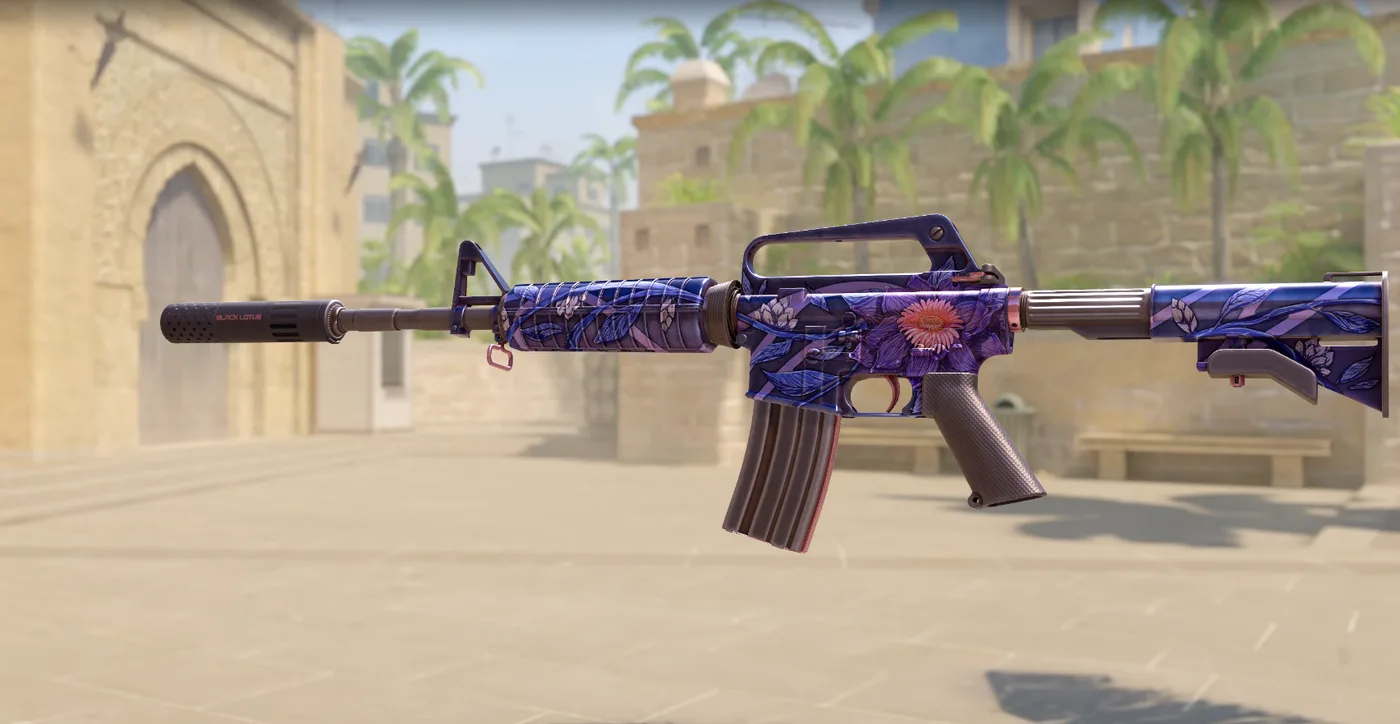
CS2 Rifle

M4A1-SBlack Lotus

Field-Tested

One skin, given away every month to subscribers of the YouTube and TikTok channels. Free to enter, no purchase, no gear required.

Claim your ticket

Win a CS2 M4A1-S Black Lotus this month. Free entry for subscribers + daily tickets on Daily Duel.

Enter Free →Daily Duel
YouTube· TikTok